Rate basis: U.S. EIA national average through July 2026 · Listing details verified October 2026
Quick Answer
Any ENERGY STAR-certified smart thermostat that consistently runs a 7-10°F setback while you sleep or are away will cut your winter heating bill by roughly 8-13% — the price tier you buy barely changes that. What the tiers actually change: whether you need a C-wire, whether remote sensors fix hot and cold rooms, and how much hand-holding the scheduling gets. Budget ($80 class, Amazon Smart Thermostat) does the setback if you have a C-wire; mid ($140 class, ecobee Essential) adds a polished app; premium ($220-250, Nest Learning 4th gen or ecobee Premium) adds learning schedules, remote-room sensors, and no-C-wire workarounds in most homes.
If you want the settings that actually produce the savings, that’s a separate (free) decision — see what temperature to set your thermostat in winter.
What Actually Saves Money (and What Doesn’t)
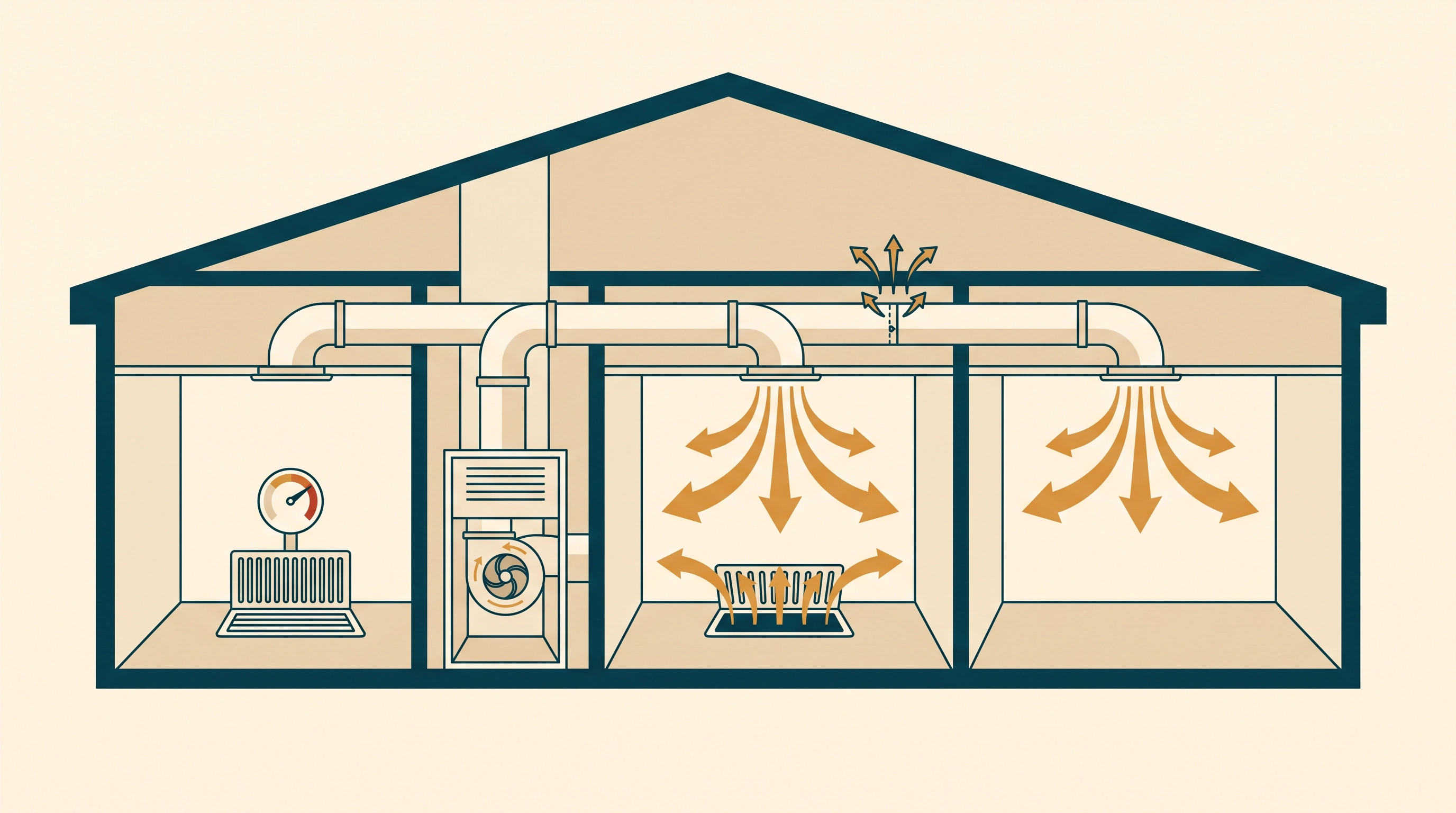
Before comparing hardware, be clear about the mechanism. A smart thermostat saves money one way: it reliably lowers the temperature when nobody needs the heat, and brings the house back without you managing it. The U.S. Department of Energy’s long-standing rule of thumb is about 1% of heating energy per degree of setback, held for eight hours — so a 10°F overnight setback is worth roughly 10% off the heating portion of your bill. On a $150/month winter gas bill, that is about $15 a month, or $75 over a five-month season.
The manufacturers put bigger numbers on their boxes, and they are worth reading precisely:
- ecobee claims savings “up to 26%” — measured against leaving the thermostat held at a constant 72°F, which almost nobody does. Real-world results against a reasonable schedule land lower.
- Nest claims “up to 31% on heating and cooling bills” for the 4th gen Learning Thermostat, with its own studies averaging closer to 10-12% on heating. Manufacturer-reported either way.
Treat every big number as a best case against a worst-case baseline. The honest expectation for a home with no schedule today is 8-13% off heating, which is real money — and every thermostat in this comparison can deliver it. This is also why our guide to whether programmable thermostats actually cut bills matters more than the brand war: the schedule is the product; the hardware is the delivery vehicle.
The Four-Way Comparison
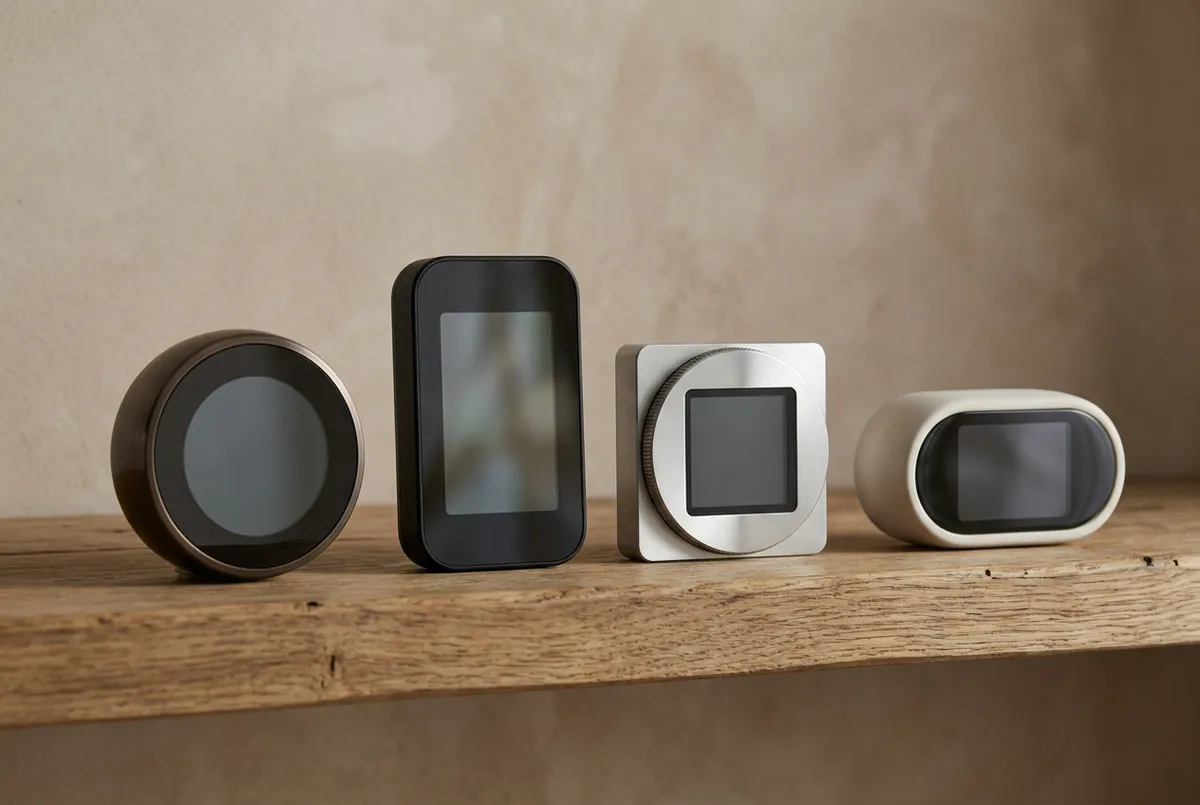
| Amazon Smart Thermostat | ecobee Essential | ecobee Premium | Nest Learning (4th gen) | |
|---|---|---|---|---|
| Street price class | ~$80 | ~$140 | ~$250 | ~$220 |
| C-wire | Required — hard stop | Needed in most systems (check ecobee’s power options) | Needed — Power Extender Kit included | “Not required in most homes” (power connector path) |
| Remote room sensors | No | No | Yes — one SmartSensor included | Yes — one Nest Temperature Sensor (2nd gen) included |
| Learning schedule | No — you set it | No — you set it | Learns occupancy/routine | Learns your schedule automatically |
| Ecosystems | Alexa (+ Ring) | Alexa, Google, Apple HomeKit | Alexa, Google, Apple HomeKit + built-in Siri/Alexa speaker | Alexa, Google, Apple HomeKit, Matter |
| Extras | Honeywell Home tech inside | ENERGY STAR certified | Air quality monitor, furnace filter reminders | Adaptive Eco, natural-heating pauses, 60% larger display |
| Best for | C-wire homes on a budget | Simple schedules, clean app | Hot/cold rooms, air quality, no-C-wire homes | People who will never write a schedule |
Listing details verified on Amazon in October 2026; prices move, so treat the classes as approximate.
Tier 1 — The $80 Pick: Amazon Smart Thermostat
Built on Honeywell Home thermostat technology. Schedules, Alexa routines, and the same 7-10°F setback savings as thermostats three times the price. The catch is real: it requires a C-wire (the common blue wire, or an unused spare) — no power-extender workaround. If your wall has one, this is all most homes need.
Built on Honeywell Home thermostat technology. Schedules, Alexa routines, and the same 7-10°F setback savings as thermostats three times the price. The catch is real: it requires a C-wire (the common blue wire, or an unused spare) — no power-extender workaround. If your wall has one, this is all most homes need.
Check price on Amazon As an Amazon Associate we earn from qualifying purchases. Price & availability shown on Amazon.com.The honest case for the cheapest option: the setback math above does not care what the thermostat costs. Schedules hold, Alexa adjusts it by voice, and the Honeywell pedigree shows in the reliability. The honest case against: no remote sensors, no learning, no C-wire escape hatch, and if your household’s schedule varies day to day, a static program you have to edit by hand tends to drift toward “hold 70°F” — which is the mode that saves nothing.
Tier 2 — The $140 Pick: ecobee Smart Thermostat Essential
ENERGY STAR certified with ecobee's app, energy reports, and vacation scheduling in a simpler package than the Premium. You give up the remote room sensor and the air-quality extras; you keep the part that touches your bill — consistent scheduling with smart recovery so the house is warm when you wake up.
Check price on Amazon Price & availability shown on Amazon.com — we may earn a commission.This is the tier for people who will actually maintain a schedule but do not want to pay for radar occupancy sensors they will never configure. The energy reports are genuinely useful: seeing heating runtime against outdoor temperature is how you notice a problem (a failing furnace, a open damper) weeks before the bill tells you.
Tier 3 — The Premium Picks
The two $220-250 thermostats justify themselves in specific situations, and otherwise overlap heavily.
Includes a SmartSensor — put it in the room you actually occupy and the thermostat heats to that room instead of the hallway where it hangs. The Power Extender Kit solves most missing-C-wire installs without running new wire. Air quality monitoring and furnace filter reminders are the winter-relevant extras: a clogged filter quietly raises blower runtime.
Check price on Amazon Price & availability shown on Amazon.com — we may earn a commission.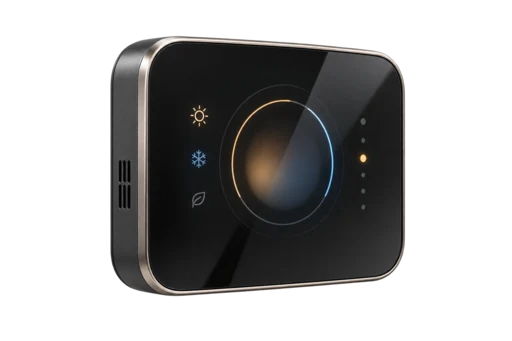
Learns your week and programs itself — the feature that most reliably produces savings in households that abandon manual schedules by February. Ships with a Nest Temperature Sensor (2nd gen), and Google states no C-wire is required in most homes. Adaptive Eco finds savings when you're away and recovers within an hour of your return.
Check price on Amazon Price & availability shown on Amazon.com — we may earn a commission.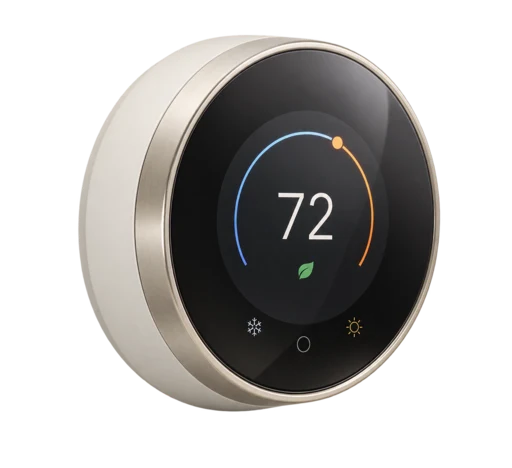
How to choose between them: if your problem is “the bedroom is always cold and the hallway is always warm,” the ecobee’s sensor-first design is the better tool. If your problem is “I will never maintain a schedule,” the Nest’s learning is the feature that saves the money. If you have neither problem, drop a tier and pocket the difference.
The C-Wire Question (the install dealbreaker)
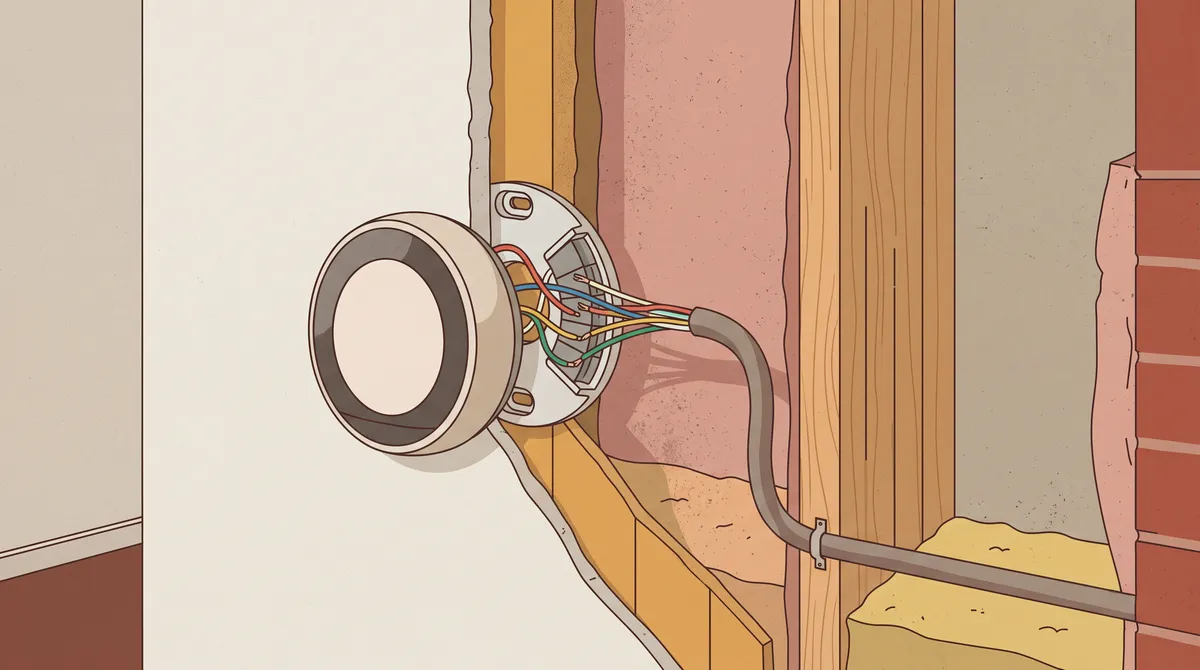
The C-wire (“common” wire) supplies continuous power to a smart thermostat’s Wi-Fi radio. Older homes often don’t have one at the thermostat — the cable bundle stops at four or five conductors, all in use. What that means per model:
ENERGY STAR certified with ecobee's app, energy reports, and vacation scheduling in a simpler package than the Premium. You give up the remote room sensor and the air-quality extras; you keep the part that touches your bill — consistent scheduling with smart recovery so the house is warm when you wake up.
Check price on Amazon As an Amazon Associate we earn from qualifying purchases. Price & availability shown on Amazon.com.- Amazon Smart Thermostat: C-wire required, full stop. Check before buying: pop the thermostat off the wall and look for an unused (often blue) wire, or check your furnace control board for an unattached “C” terminal.
- ecobee: the Power Extender Kit path. The Premium’s listing confirms a PEK in the box — it steals a small trickle from the furnace’s G (fan) wire, a legitimate DIY fix in most systems, no new wire pulled. The Essential runs on the same power architecture; confirm what’s in its box at purchase.
- Nest 4th gen: Google states no C-wire is required in most homes — it scavenges power from the heating circuit itself. In a minority of systems (notably some zoned and two-wire setups) you still need the power connector or a wire.
Renters: a thermostat swap is usually reversible (keep the original, restore it at move-out), but check your lease — and see our rundown of thermostat scheduling for time-of-use rate plans if your utility charges different rates by hour, because that changes which schedule saves the most.
Heat Pump Owners: Read This Before Any Setback
If you heat with a heat pump, aggressive setbacks can backfire: a deep morning recovery can trigger the electric resistance “auxiliary” strips, which produce heat at roughly one-third the efficiency of the compressor. Suddenly your 10% setback savings get eaten by a 20-minute aux blast. Modern smart thermostats — the ecobee and Nest models above included — handle this with staged, timed recovery that finishes the warm-up on the compressor alone. The budget Amazon unit is blunter about it.
The details are worth five minutes: read aux heat vs. emergency heat, explained, and if your winter bill spiked, our heating bill diagnostic ranks aux-heat traps as the #1 cause for heat-pump homes. Utility-rate nerds: the same hardware also unlocks time-of-use savings, pre-heating when power is cheap.
The Payback Math (Deciding If It’s Worth It at All)
Take a typical gas-furnace home with a $150/month average winter heating bill and no existing setback schedule:
- Savings from consistent 10°F × 8h setbacks: ~10% of heating ≈ $15/month ≈ $75 over a five-month season (DOE rule-of-thumb basis; your weather and envelope move this).
- Against the $80 thermostat: paid back in one season.
- Against the $250 thermostat: about three seasons — still fine for a 10-year device, but only if the schedule actually runs. An unused smart thermostat saves exactly nothing.
If you already run a programmable schedule faithfully, a smart thermostat’s incremental savings are smaller — the win shifts to remote sensors, monitoring, and the reports. And if your bill problem isn’t scheduling at all, start with the complete guide to lowering your electric bill instead of buying hardware.
Before You Buy Any of Them: The 10-Minute Pre-Check
- Photograph the wiring behind your current thermostat (after killing power at the breaker). The photo answers the C-wire question and doubles as the reinstallation guide if you ever swap back.
- Run the manufacturer’s compatibility checker — ecobee and Google both host them — entering your system type (gas furnace, heat pump, boiler, radiant) and wire count. Five minutes here prevents the #1 return reason.
- Check your utility’s rebate page before paying retail. Dozens of utilities rebate $50-100 on ENERGY STAR smart thermostats — sometimes more for enrolling the thermostat in demand-response programs that cycle the system during peak events. A $100 rebate on the $140 tier makes the payback math trivial, and some programs mail you the hardware. Search “[your utility] thermostat rebate” — this routinely turns the premium tiers into budget-tier prices.
- Count your zones. Two HVAC systems means two thermostats and two of everything; budget accordingly, and note the sensor logic works best when each thermostat owns the zone it’s mounted in.
- Check whether your furnace control board has a spare C terminal. If the wire bundle from the thermostat has an unused conductor (often blue, tucked back into the wall), a pro can land it on C in fifteen minutes — the cleanest fix, better than any power-scavenging kit.
The Features Nobody Needs (So You Can Ignore the Spec Sheet)
Voice assistant integration is table stakes, not a differentiator — every model here works with Alexa and Google, and the two premium units add Apple HomeKit. Color display size, metal finishes, and built-in speakers are aesthetic tier markers; they warm nothing and save nothing. Subscription upsells (ecobee’s smart security, Google’s premium Home features) are optional and unrelated to heating savings. The spec-sheet rows that actually touch your bill: sensor support, staged recovery for heat pumps, energy reports, and schedule flexibility — the first table in this article is the complete decision surface, and everything else is furniture.
Includes a SmartSensor — put it in the room you actually occupy and the thermostat heats to that room instead of the hallway where it hangs. The Power Extender Kit solves most missing-C-wire installs without running new wire. Air quality monitoring and furnace filter reminders are the winter-relevant extras: a clogged filter quietly raises blower runtime.
Check price on Amazon As an Amazon Associate we earn from qualifying purchases. Price & availability shown on Amazon.com.Frequently Asked Questions
Does a smart thermostat really save money in winter?
Can I install a smart thermostat without a C-wire?
Is the Nest or ecobee better for heat pumps?
What temperature should the thermostat be set to in winter?
Are smart thermostats worth it for renters?
For the free half of this decision — the settings themselves — see what temperature your thermostat should be in winter. For everything that drives a winter bill, start at why is my heating bill so high.
Sources
- ENERGY STAR — Smart Thermostats — certification criteria and savings claims context.
- U.S. Department of Energy — Home Upgrades — setback savings rule of thumb (~1% per °F for 8h).
- U.S. EIA — Electricity Monthly, Table 5.03 — national average residential rate basis.
- Amazon — Amazon Smart Thermostat listing — C-wire requirement, Honeywell Home technology (verified Oct 2026).
- Amazon — ecobee Smart Thermostat Essential listing — ENERGY STAR certification, features (verified Oct 2026).
- Amazon — ecobee Smart Thermostat Premium listing — “up to 26% vs. hold at 72°F” claim wording, SmartSensor and PEK inclusions (verified Oct 2026).
- Amazon — Google Nest Learning Thermostat (4th gen) listing — “up to 31%” claim wording, no-C-wire statement, included sensor (verified Oct 2026).