Quick Answer
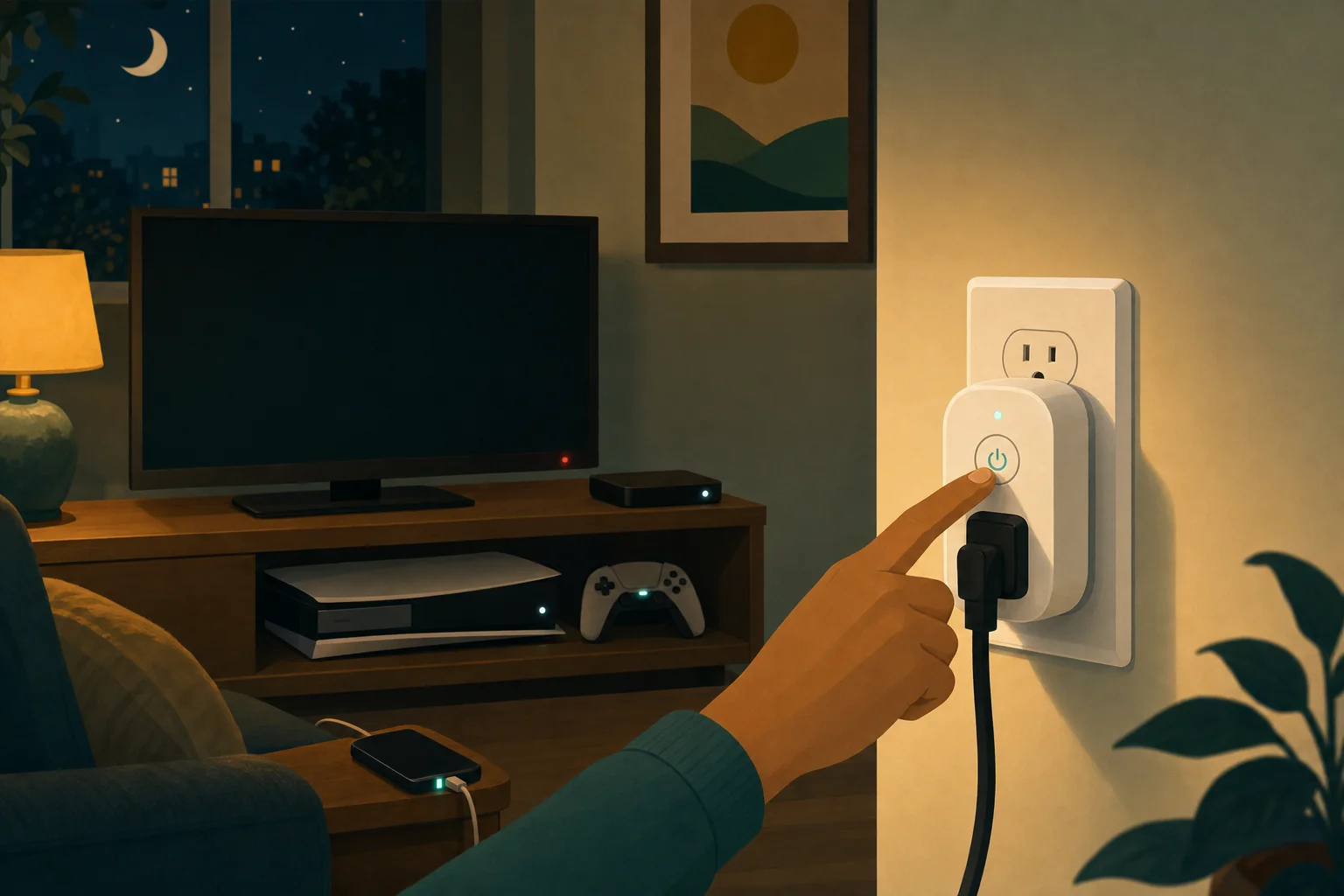
Measure first. DOE defines standby power as the lowest power consumption while a product remains plugged into mains power.[1] An advanced power strip or a smart plug can reduce idle use for suitable devices, but the device, schedule, rating, and potential savings depend on the equipment and your electricity price.
Do not buy a plug because of a generic payback promise. Start by identifying devices that can safely be turned off when not in use, then verify the product’s electrical rating and manufacturer instructions.
The Measurement-First Workflow

Before buying any smart plug or power strip, confirm that standby reduction is worth pursuing at your address. This three-step process matches the DOE-recommended approach for tackling standby power: measure, assess, then automate.[1]
Step 1: Meter
Use a plug-in power meter (like the Kill A Watt P4400 described on this site’s phantom power page) to measure the idle draw of each device in your entertainment center, home office, or other device cluster.
For each device:
- Plug the device into the meter, the meter into the wall.
- Put the device in its lowest power state (off but still connected to mains).
- Wait for the reading to stabilize — usually 2–5 minutes.
- Log the wattage. Devices drawing more than roughly 2 W in standby are strong candidates — that’s a common industry rule of thumb.
Step 2: Assess
Determine whether the device can safely lose power when not in active use:
| Can safely lose power | Cannot safely lose power |
|---|---|
| Television and monitor (modern) | Router, modem, network switch |
| Game console (after shutdown) | Cable / satellite DVR (must maintain recording capability) |
| Speakers, soundbar | Security system, cameras |
| Printer, scanner | Medical devices, CPAP |
| Phone/laptop charger (when not charging) | Refrigerator, freezer, wine cooler |
| Desktop computer (after full shutdown) | Smart home hub, alarm panel |
| Entertainment peripherals (ChromeCast, Apple TV, Roku well after use) | Garage door opener |
Step 3: Automate
Select the right device based on what you measured:
Plug any device into this Wi-Fi outlet and the Kasa app reports its real-time power use — no extra meter needed. DOE defines standby power as a product's lowest plugged-in consumption; this plug shows you exactly what each device draws in that state.
Check price on Amazon As an Amazon Associate we earn from qualifying purchases. Price & availability shown on Amazon.com.- Devices drawing roughly 1–5 W standby where you only need to cut power when away or asleep — a common industry rule of thumb says this range warrants action. A smart plug with scheduling works best. Set it to turn off at a certain time and back on before you need the device.
- Devices in a work cluster where one master device signals when the group is idle → An advanced power strip with master/controlled outlets automatically cuts peripherals when the computer or TV goes to sleep.
- Devices where you want ongoing energy data → An energy-monitoring smart plug (like the Kasa KP115 or Tapo P110M in the table below) reports consumption to an app, helping you track whether the change reduced usage.
Smart Plug Features Comparison
The table below compares key specs for popular smart plugs with energy monitoring. All figures from manufacturer product pages and spec sheets retrieved August 2026.
| Feature | Kasa KP115 | Kasa KP125M (2-Pack) | Tapo P110M | Emporia Smart Plug |
|---|---|---|---|---|
| ASIN | B08LN3C7WK | B0BYGRLRS1 | B0DKGBP38V | B0CLVV7X7Y |
| Energy monitoring | Yes (Kasa app) | Yes (Kasa app) | Yes (Tapo app) | Yes (Emporia app, integrates with Vue system) |
| Matter compatible | No | Yes | Yes | No |
| Max load rating | 15A / 1,800W (resistive) | 15A / 1,800W (resistive) | 15A / 1,800W | 15A / 1,800W |
| Hub required | No (Wi-Fi direct) | No (Wi-Fi direct, Matter over Wi-Fi) | No (Wi-Fi direct) | No (Wi-Fi direct) |
| Scheduling | Yes (app-based) | Yes (app-based) | Yes (app-based) | Yes (app-based) |
| Away mode / randomization | Yes | Yes | Yes | Yes |
| Voice assistants | Alexa, Google Home | Alexa, Google Home, Apple Home (via Matter) | Alexa, Google Home | Alexa, Google Home |
| Outdoor rated | No (indoor only) | No (indoor only) | No (indoor only) | No — Emporia states its smart plugs are indoor use only and “not rated for outdoor use” (help.emporiaenergy.com compatibility guide, retrieved 2026-08-29) |
| Size | Compact (plugs into outlet, leaves second receptacle free) | Compact | Compact | Slightly larger, leaves second receptacle free |
| Warranty | 2 years | — | — | — |
| App features | Real-time power, historical kWh, device groups | Same + Matter cross-platform | Real-time power, monthly reports | Real-time power, integrates with Vue 3 for whole-home view |
All rated 120V AC, 60Hz. For 240V appliances (EV chargers, large window AC), do not use a standard smart plug — these are designed for standard US 120V outlets only. See manufacturer spec sheets for exact details. Warranty: Kasa KP115 confirms 2 years on product page; KP125M, Tapo, and Emporia durations not confirmed on manufacturer pages.
Safety Notes: 15A Limits for High-Draw Appliances
Standard US smart plugs and power strips are typically rated for 15 amps maximum continuous load (1,800 watts on a 120V circuit). This limit matters:
- Space heaters: A typical 1,500 W space heater draws 12.5 A. That leaves only 2.5 A of headroom on a 15 A circuit. Plugging a space heater into a smart plug risks overheating the plug’s internal relay. Do not use a smart plug with a space heater, portable air conditioner, or other high-heat appliance unless the plug is explicitly rated and certified for that load and duty cycle.
- Window air conditioners: Most window ACs draw 7–15 A depending on size. The starting surge (inrush current) can be higher than the running current. Smart plugs are generally not relay-rated for compressor starts. Use a dedicated outlet or a heavy-duty outlet timer instead.
- Refrigerators / freezers: The compressor start surge and the need for uninterrupted cooling make smart plugs unsuitable. If you want to monitor a refrigerator’s energy use, use a plug-in power meter temporarily, not a smart plug as a permanent connection.
- Multiple devices on one plug: A smart plug’s rating applies to the sum of all downstream load. A power strip plugged into a smart plug does not increase the rating.
Bottom line: Use smart plugs for electronics, lighting, phone chargers, and low-power peripherals — devices drawing under 500W. For high-draw and essential equipment, follow the manufacturer’s electrical guidance.
What a Plug Can’t Fix
A smart plug or power strip is a tool for reducing standby waste after you have measured it. It cannot solve these issues:
- High-consumption devices that stay on continuously. A plug cannot fix a 10-year-old refrigerator drawing 150 W 24/7; you need a replacement appliance.
- Devices that require always-on networking. A cable DVR that must record, a network-attached storage (NAS) device, or a security system cannot be turned off.
- Whole-home loads. A plug cannot reduce electric-resistance heating, water heating, or pool pump energy — those need circuit-level solutions or appliance replacement.
- Utility rate structure. If you are on a flat-rate plan, moving 25 W of standby usage to off-peak hours saves nothing. Time-of-use rates require shifting the load, not eliminating it.
- Phantom power from hardwired devices. Smoke detectors, doorbell transformers, hardwired appliances, and bathroom vent fans draw standby power through direct wiring, not a plug. A whole-home energy monitor (like the Emporia Vue 3) is needed to measure those circuits.
A Safe Measurement Process
- Identify an entertainment-center, home-office, or other group of devices that does not need uninterrupted power.
- Record the device’s idle power with a suitable monitor if available, or use the usage information supplied by the device or utility.
- Decide whether turning the device off would interrupt recording, updates, connectivity, accessibility, or another necessary function.
- Choose a power strip or plug rated for the connected load and intended environment.
- Recheck usage after a schedule or control rule is in place.
Advanced power strips have built-in features intended to reduce energy used by consumer electronics when they are not in use. They are a better fit than a generic recommendation when several related devices can safely power down together.
What to Check Before Using a Smart Plug
| Check | Why it matters |
|---|---|
| Electrical rating | The plug must be rated for the connected load. |
| Indoor or outdoor rating | Use it only in its specified environment. |
| Device behavior after power loss | Some devices need uninterrupted power or a controlled shutdown. |
| Schedule and manual override | Confirm the rule will not interfere with safety, accessibility, or essential service. |
| Energy reporting | Treat app readings as a tool for comparison, not a substitute for the utility bill. |
Do not use a plug beyond its manufacturer rating. For portable heaters, air conditioners, medical equipment, refrigeration, or other high-draw or essential equipment, follow the manufacturer and electrical-safety guidance rather than assuming a consumer smart plug is appropriate.
Kasa's Matter-compatible smart plug with energy monitoring, sold in a 2-pack for covering multiple devices. The DOE recommends measuring standby power before reducing it — this plug gives you per-outlet data to decide which devices can safely power down.
Check price on Amazon As an Amazon Associate we earn from qualifying purchases. Price & availability shown on Amazon.com.Where to Start
Start with equipment that is easy to observe and safe to switch off, such as selected entertainment or office peripherals. Review the result against your actual bill and rate plan. If a device needs to remain on, do not automate it off merely to pursue an estimated saving.
Plug any device into this Wi-Fi outlet and the Kasa app reports its real-time power use — no extra meter needed. DOE defines standby power as a product's lowest plugged-in consumption; this plug shows you exactly what each device draws in that state.
Check price on Amazon Price & availability shown on Amazon.com — we may earn a commission.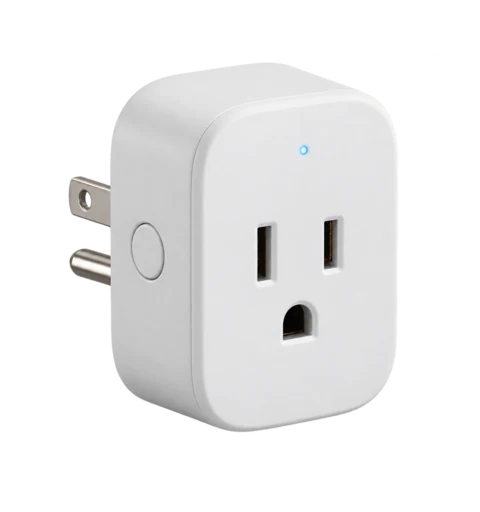
Kasa's Matter-compatible smart plug with energy monitoring, sold in a 2-pack for covering multiple devices. The DOE recommends measuring standby power before reducing it — this plug gives you per-outlet data to decide which devices can safely power down.
Check price on Amazon Price & availability shown on Amazon.com — we may earn a commission.
For a broader household review, see how to lower utility bills and how to read your electric bill.
For the full savings workflow beyond standby power, see how to lower your electric bill: the complete guide.
The metering-plug class (and the Kasa/Tapo/Emporia field) is compared head-to-head in which smart plugs measure energy; the ladder above it starts at Kill A Watt alternatives.